Feed on
Posts
Comments

Accessibility

Hey guys, this week’s blog post is a slightly different from the norm, as it will be focusing on digital accessibility versus the traditional assistive technology posts you have grown accustomed to us sharing out!  Earlier this week, I had the pleasure of attending the Inter-agency Accessibility Forum (IAAF) sponsored by the Federal Chief Information Officer Council (Federal CIO Council’s) Accessibility Community of Practice and hosted by the General Services Administration (GSA) and Health and Human Services (HHS) federal agencies in Washington DC.  I had the pleasure of working, collaborating and consulting with some fabulous digital accessibility and assistive technology professionals from a variety of backgrounds at this two day forum in our nation’s capital. 

Close up of blue key on keyboard with disability logo on it

During the two-day forum, I had a chance to learn about how the federal government is working diligently to make their digital footprint accessible for all.  I was particularly impressed with the energy of the speakers, presenters and the attendees.  Many of the attendees were from a variety of government agencies and they all came together for one common interest making digital content more accessible for federal employees and consumers with disabilities.

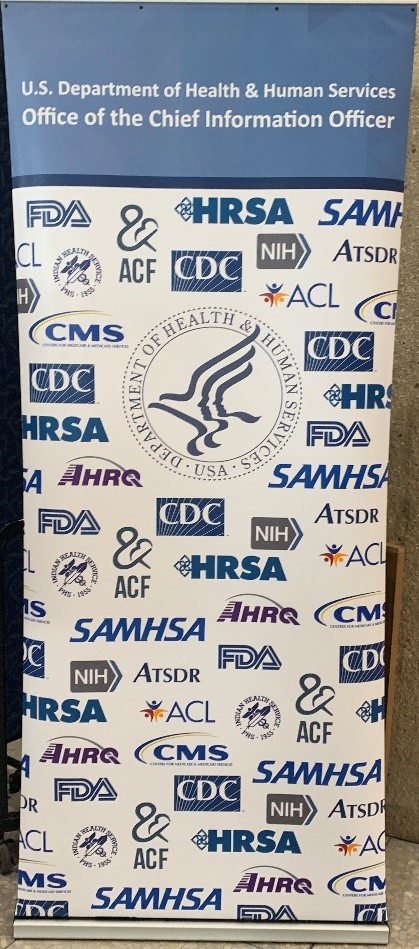
Large sign with Dept of Human Services logo in center surrounded by logos of all agencies in department

As a non-federal employee, I was welcomed by all and I truly appreciated the warm welcome I received.  Overall, it was a fantastic cooperative learning opportunity that I was afforded and I would definitely recommend that other state and municipal employees register and attend this forum, if they have capacity.  I was very impressed with their sessions on digital accessibility testing.  In particular, I loved learning more about the Accessible Name and Description Inspector (ANDI) accessibility testing tool that is the primary tool for accessibility testers within the federal government.  ANDI.  A free-to-use government accessibility testing tool that is pragmatic and has a proven track record.

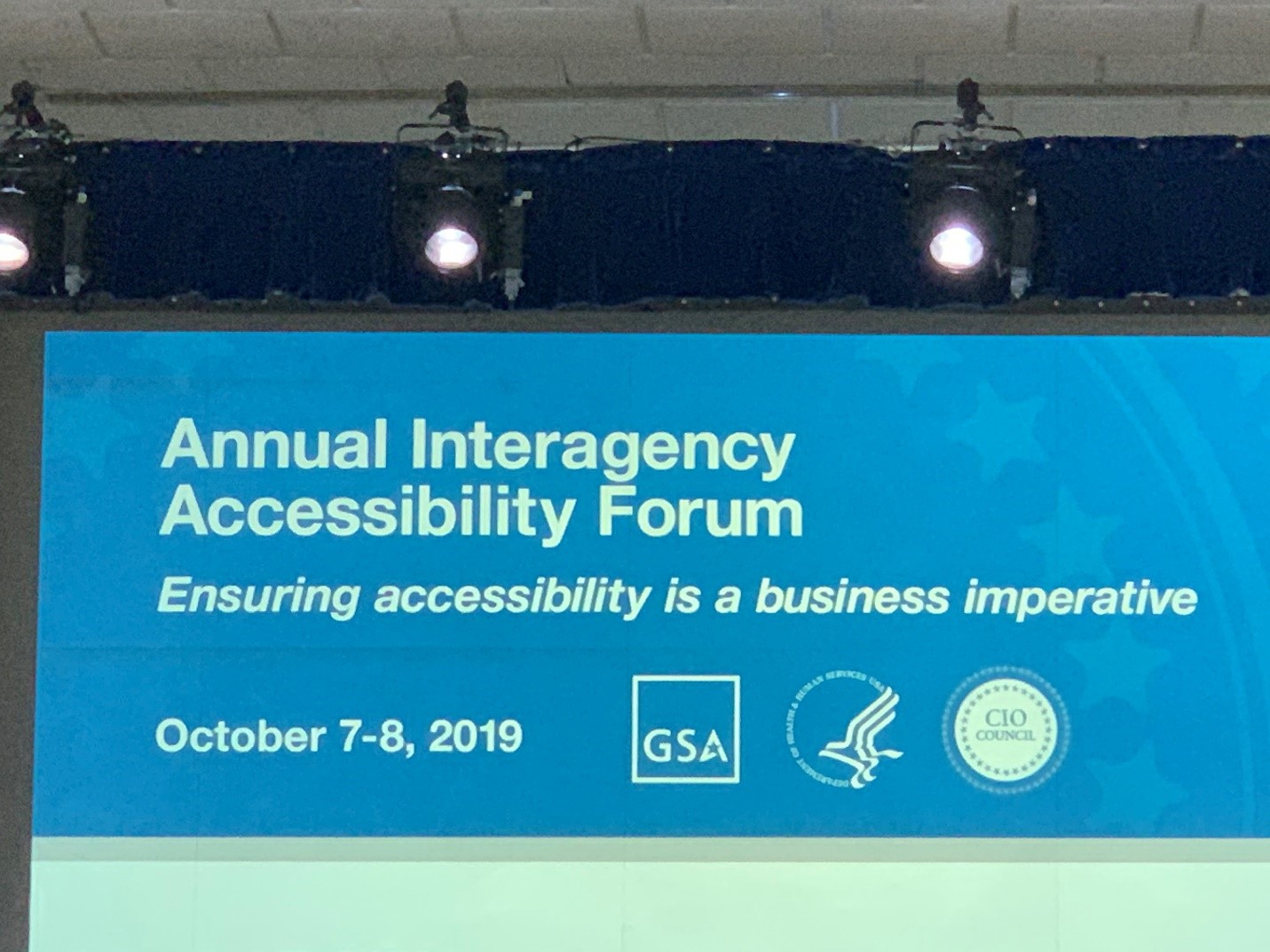
Large screen with words "Annual Interagency Accessibility Forum"

In a future blog post, we will do a deeper dive into website testing tools  and in particular ; ANDI but for now it’s time to call it a day!

Thanks so much for reading!

Andrew

Tags: ,

How much do you know about deaf people? Whether you’re an ASL student, a teacher or coworker of a deaf person, about to hire a deaf employee, or just plain curious, it’s worth taking some time to understand what it means to be deaf and how to interact with deaf people. If only there was an easy course online somewhere. Look no further! The National Deaf Center on Postsecondary Outcomes (NDC) launches Deaf 101 today. Deaf 101 is a free online short course designed to provide basic knowledge and tools necessary to communicate effectively with deaf individuals, especially in educational and professional settings.

“Because deaf people are a low-incidence population, there’s typically a lack of knowledge among professionals about how best to work with them, said Stephanie Cawthon, PhD, Director of NDC. “Deaf 101 is about setting everyone up for success.”

The course is broken down into two modules: the first describes the spectrum of deaf identity and answers common questions about deaf people; the second provides participants with quick tips and strategies to communicate effectively with deaf people.

Are you pressed for time? You can take the course all at once or in multiple sittings; it generally takes 3 hours to complete.

The course is designed to support a wide variety of people: ASL students & teachers, teachers of deaf students, as well as professionals working with deaf coworkers in the workplace and those working with deaf students in educational settings, such as counselors, transition specialists, disability service professionals and so on.

Deaf 101 helps participants to build knowledge and skills needed to:

  • Describe different groups the term “deaf” may include
  • Compare different terms used for deaf people
  • Avoid common misconceptions about deaf people
  • Promote positive attitudes towards deaf people
  • Summarize the three federal laws that protect equal access for deaf people
  • Use accommodations and other strategies that support effective communications between deaf and hearing individuals

In addition to Deaf 101, NDC offers families and professionals a full array of resources that support those working with deaf people, designed to empower people with the tools necessary to support #DeafSuccess.

Speechify

I hope this new post finds you all well!  Wow, what a week a MDTAP — we have had a great time supporting our constituents.  Today’s post focuses on an iOS based application by the name of ‘Speechify.’  I have used the aforementioned app in my current role and in quite a bit in my former role supporting document accessibility for students in higher education in the state of Maryland.

Blue Circle with heartrate image with word "Speechify"


Ok, I love text-to-speech apps that work well and don’t sound like a 1970’s Dr Who Dalek.  I can think of nothing worse than using an app that sound like a Dalek, in my mind I keep thinking about those Daleks chanting  ‘Exterminate’ for those that aren’t familiar with Daleks, you missed out on being a kid in the 70s and 80s — head to YouTube to get a quick sample of what I am talking about today.  The voices in Speechify  are good quality, human-like, great tone, have good cadence and sound very natural.


CLoe up of green dalek

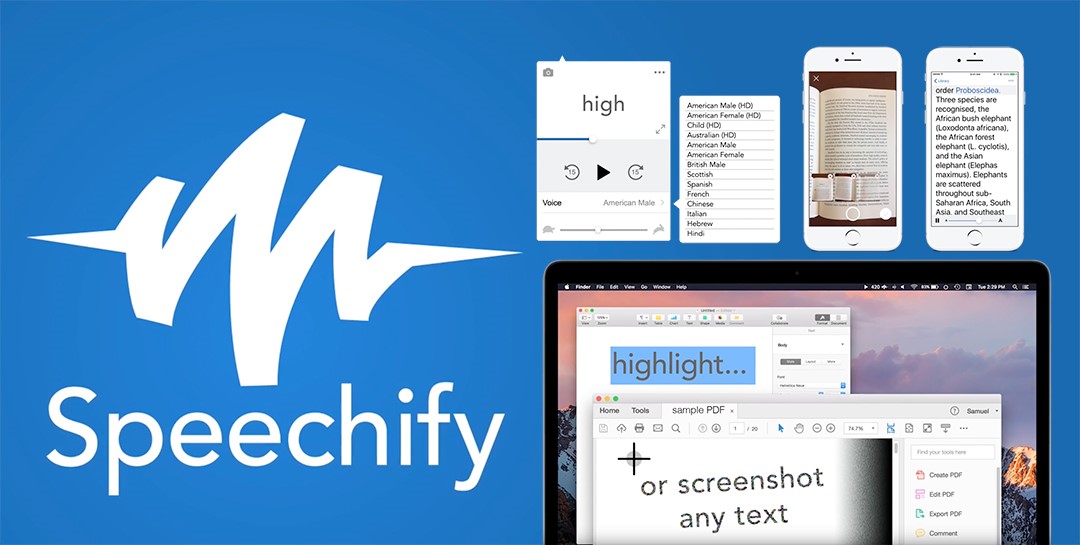
This app allows you to import a variety of text file formats for text-to-speech output via file upload, paste in your text, and even scan a book using the device’s camera.  Regarding file import the common cloud services are all supported which is fantastic such as Dropbox, Google drive and iCloud.  A recent feature they have added is the ability to browse preexisting ‘free or open educational resources (OER)’ — OER is the next big thing in the higher education world and something that I can see becoming very mainstream in years to come!

Speechify logo with 5 screenshots of Speechify in use. on phones and monitors.

Overall, I love the simplicity of the app; it’s pragmatic and gets the job done for pennies compared to similar apps!  A free version is available in the app store but I do believe they sell a more ‘premium’ version of the application, too.  Check the app out and let me know your thoughts in the comments below!

Thanks for reading!

Andrew

PS.Quick disclaimer:  We don’t own the rights to the pictures but I do happen to know Cliff the man behind the app and he’s an individual with a disability that is really trying to make a difference in the accessibility world! 

MIT ATHack

Hey guys,

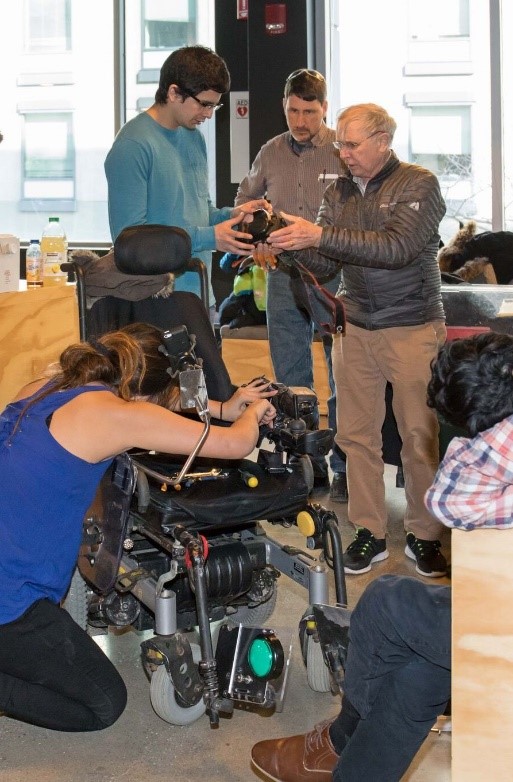
I wanted to highlight some awesome work that is going on at Massachusetts Institute of Technology (MIT).  Every year, the student body of MIT organize an assistive technology hackathon.  Unlike typical hackathons this event doesn’t focus on building the fanciest or flashiest device, software or tool.  Instead it focuses on the creation of pragmatic solutions to aid those with disabling conditions in their locality.  ATHack seeks and matches hackers with clients from the Cambridge/Boston community who are looking to work with students to prototype an assistive technological solution to address an activity of daily living.     Two people working on adding equipment to a motorized wheelchair.


This past AThack as its know at MIT and surrounding areas was hosted this past March.  The event is spread over a two-week period, an initial event and then the final day long hack. On the final day, the hackathon occurs and the hackers (sometimes individuals but mostly teams) have access to a workspace that includes hand tools, 3D printers, a laser cutter, a comprehensive machine shop and basic stock materials. 

Massachusetts Institute of Technology seal in red on white background.


For those that are interested in getting involved or those that wish to support the MIT ATHack – please contact them directly at:  at-hack-core@mit.edu. They are always looks for donors/sponsors to support their next hack – so please support them if you have the means!ATHack logo with purple background. Green triangle, white slash, pick T.


I hope you enjoyed learning a little more about this awesome maker event!

Thanks for reading,

Andrew

 
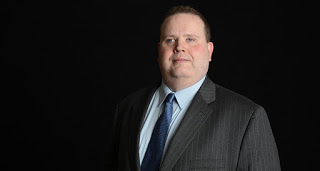
Headshot of Gary Norman on black background.  He is in dark gray suit and tie.
Guest Blogger:  Gary Norman


Our guest blogger today is Gary Norman, Chair of the Maryland Commission on Civil Rights.  
 
A law school professor once counseled me to work the body as much as the mind (a concept from antiquity). While the legal field increasingly recognizes the importance of health and wellness, lawyers with disabilities may encounter challenges in maintaining an active lifestyle.

Because disabilities often pose disability-specific medical challenges, as well as stressors unique to the disabled – and since we know that people with disabilities suffer some of the worst states of unwellness — it may be especially important for a lawyer with a disability to commit to improving the body.

Accessible pursuits may be divided among those specialized forms tailored to those with disabilities, such as GoalBall in the blindness community, and pursuits that some might think off-limits, such as softball. Among the sports and recreation that I have taken part in are  swimming, Tae Kwon Do (I earned my black belt as a kid despite significant vision loss) and rowing, which I pursued as a young attorney. I favor pursuits that allow those with and without disabilities to participate, such as golf. (My problem with golfing is I’m more like Happy Gilmore than Arnold Palmer.) An organization named Silent Rhythms, which ensures expanding access to the benefits of dance, shows that exercise, sports and recreation can be accessed by people with disabilities and even taught by people with disabilities.

In my health and wellness journey, I have learned that legal and non-legal measures play mutual roles in advancing the accessibility of exercise, sports and recreation.

I typically prefer practical, non-legal approaches. Whether the matter concerns modifying a fitness facility or expanding access to a program, a few considerations are key. Any effort to address the needs of people with disabilities is an opportunity to market and expand membership to a growing population. As the baby boomer population ages or falls within the expanded legal definitions for disabilities, the number of people in the United States with disabilities will rapidly increase. I hope to collaborate, as chair of the Maryland Commission on Civil Rights, with stakeholders in the sports and recreation space. In the event that non-legal methods don’t succeed, legal measures come into play:

• Titles I, II and III of the Americans with Disabilities Act (ADA) cover various issues related to accessibility depending on the individual context. The majority of fitness facilities fall under Title III — Public Accommodations and Commercial Facilities. Requirements in the 2010 ADA Standards include minimum heights for countertops and light switches, signage, bathroom fixture selection, walkway widths, railings and flooring choices.

• The international Convention on the Rights of People with Disabilities has articles covering access to sports and recreation. While lawyers from the United States played a significant role in writing this important instrument, the U.S. Senate has lagged in actually ratifying it.

An imperfect solution includes enacting more laws to ensure access. Sen. Tammy Duckworth, a disabled veteran, introduced the Exercise and Fitness for All Act in April 2019. Under the ADA, fitness facilities are required to meet accessible design standards, such as providing sufficient space next to exercise equipment. However, exercise, sports and recreation providers do not always ensure access for the disabled. The proposed act would require the U.S. Access Board, a federal agency that promotes accessibility, to issue guidelines specifying the number and types of accessible equipment at fitness facilities.

Finally, there is a technology component in ensuring access to exercise, sports and recreation that may be forgotten. During a recent personal training session, I discussed accessibility with my pro disability trainer. She reminded me of the difficulties in most commercial gyms, where equipment now often employs touch screens. These are generally not accessible to the blind. We must be careful not to exclude the disabled when rolling out technologies to track health improvements.

Exercise, sports and recreation are not off-limits to people with disabilities when a confluence of positive attitude, the law and technology train together.

Hi guys, I hope this post finds you all well!  This week’s post is a pretty exciting one – a great opportunity for university and community college professors involved in the field of accessibility, universal design and digital access.  Please check out the information below to learn more about this fantastic opportunity from the National Federation of the Blind for potentially funding your work!

**********************************

National Federation of the Blind logo next to words "National Federation of the Blind Live the Life you Want"

Attention Post-Secondary IT Instructors:

Apply for Accessibility Inclusion Fellowship Program

Administered by the National Federation of the Blind under a Non-Visual Accessibility Initiative Grant from the State of Maryland

Submit application by October 11, 2019.

The Accessibility Inclusion Fellowship Program helps instructors begin to include accessibility concepts in at least one course offering in their institution with help from the nation’s blind. Your existing course does not need to have an accessibility component. The program consists of the following:

  • Consultation and assistance with course instruction from the National Federation of the Blind through our Center of Excellence in Nonvisual Access (CENA) by providing consultation and assistance with course instruction.
  • A monetary award. One award of $2,000 will be made to an instructor of a University System of Maryland (USM) school or a professor of an independent Maryland college, and two awards of $1,500 each will be made to Maryland community college instructors.

What’s at stake?

Individuals with disabilities, including the blind, cannot live the lives they want without full and equal access to the information and technologies available to the rest of the public, including products, services and benefits available on the Web and mobile applications. Equal access to information which includes non-visual access needs to be incorporated in the education track. The National Federation of the Blind is committed to the development of innovative techniques for achieving nonvisual access to information through the design and development of accessible information and technology systems.

Apply today!

To apply for the 2020 Accessibility Inclusion Fellowship, please submit the following information by email to jerniganinstitute@nfb.org.

  • Name
  • Professional Title
  • Name of Your Institution
  • Email Address
  • Phone Number
  • Course Title
  • Is this a required course, or elective?
  • Cover letter
  • Class syllabus
  • The course description from the college catalog
  • Two professional references

We look forward to the continued progress of equal access to information and technologies with your help. Together, we turn dreams into reality.

**********************************************

Please check back next week for another informative or exciting post relating to AT, IT accessibility or universal design!

Thanks for reading,

Andrew


Attention Post-Secondary IT Instructors:

Apply for Accessibility Inclusion Fellowship Program

Administered by the National Federation of the Blind under a Non-Visual Accessibility Initiative Grant from the State of Maryland

Submit application by October 11, 2019.

The Accessibility Inclusion Fellowship Program helps instructors begin to include accessibility concepts in at least one course offering in their institution with help from the nation’s blind. Your existing course does not need to have an accessibility component. The program consists of the following:

  • Consultation and assistance with course instruction from the National Federation of the Blind through our Center of Excellence in Nonvisual Access (CENA) by providing consultation and assistance with course instruction.
  • A monetary award. One award of $2,000 will be made to an instructor of a University System of Maryland (USM) school or a professor of an independent Maryland college, and two awards of $1,500 each will be made to Maryland community college instructors.

What’s at stake?

Individuals with disabilities, including the blind, cannot live the lives they want without full and equal access to the information and technologies available to the rest of the public, including products, services and benefits available on the Web and mobile applications. Equal access to information which includes non-visual access needs to be incorporated in the education track. The National Federation of the Blind is committed to the development of innovative techniques for achieving nonvisual access to information through the design and development of accessible information and technology systems.

Apply today!

To apply for the 2020 Accessibility Inclusion Fellowship, please submit the following information by email to jerniganinstitute@nfb.org.

  • Name
  • Professional Title
  • Name of Your Institution
  • Email Address
  • Phone Number
  • Course Title
  • Is this a required course, or elective?
  • Cover letter
  • Class syllabus
  • The course description from the college catalog
  • Two professional references

We look forward to the continued progress of equal access to information and technologies with your help. Together, we turn dreams into reality.


« Newer Posts - Older Posts »

MDTAP | 2301 Argonne Drive, Room T17 Baltimore, Maryland 21218| Voice: 410-554-9230 Toll Free ⁄ Voice 1-800-832-4827|Email: mdtap@mdtap.org