Feed on
Posts
Comments

Apex Legends

Hi guys, some of you probably know that I am an avid gamer and especially the console platform games.  My first deep dive into Battle Royale games has come with the game ‘Apex Legends.’  This is a cross platform tile by ReSpawn (with financial backing from I believe by Electronic Arts) and it’s been a huge success with gamers of all ages.  Well over the past few weeks, I have been reading online that this particular game is hugely popular with Xbox One and PS4 players with disabilities — this title doesn’t require you to press every single button on the controller and some buttons simply do not have a function connected so from an accessibility standpoint, it’s a great game to play with an adaptive controller setup.

Apex Legends logo with solider next to name.


Well over the past few weeks as season 2 of the game is winding down — I have noticed that more and more individuals that cannot speak are playing the game instead they are using the in-game communication feature to communicate with other players.  I have really enjoyed noticing the surge in players in the gaming community that are using the accessibility features.  
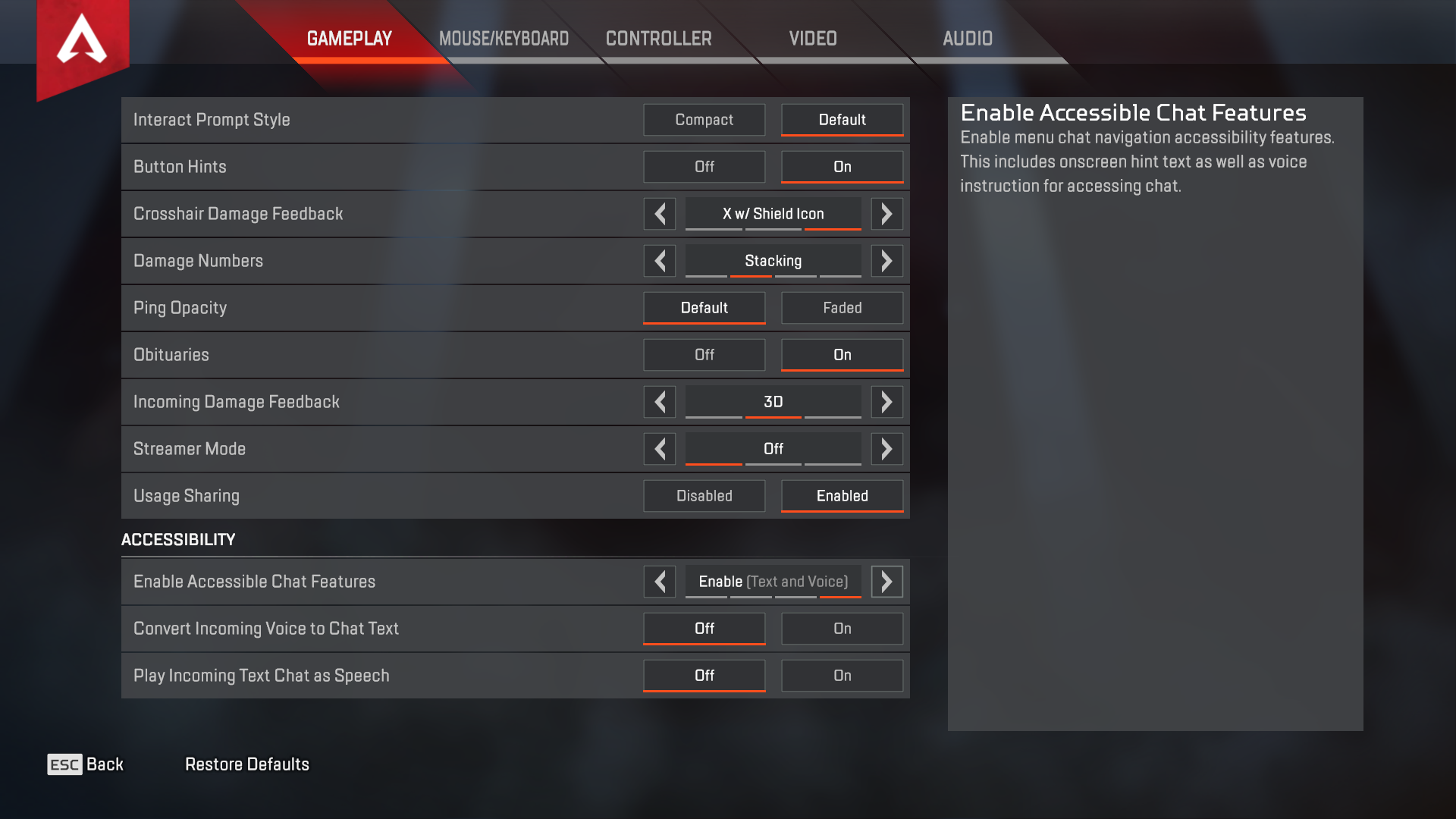
 

Screen grab of settings screen on computer.


As you can see from above that the accessibility features are planted front and center within the game’s option menu. It is a welcome relief that the in-game chat has been made so user friendly that users with disabilities can ‘chat’ mid-game without losing the ‘flow’ of the game.  I hope that more video game developers make their accessibility features ‘front and center’ so all gamers can have fun and play!

Stay tuned for an accessible gaming event soon!  More details to follow. 

Thanks for reading!

Andrew
What a week or so!  I have spent a great deal of time, learning, thinking and educating folks
about accessing the web as an individual with a disability. I am so pleased to report back that
so many mainstream companies and more importantly small businesses (regional and local tech
firms) are now beginning to focus on website accessibility. Many of us are aware that the focus
on inclusivity of website access should have happened years ago considering the age of the
internet. Currently, I believe that accessibility is becoming ‘mainstream’ and developers are
having a paradigm shift in regards to how people think about website accessibility.
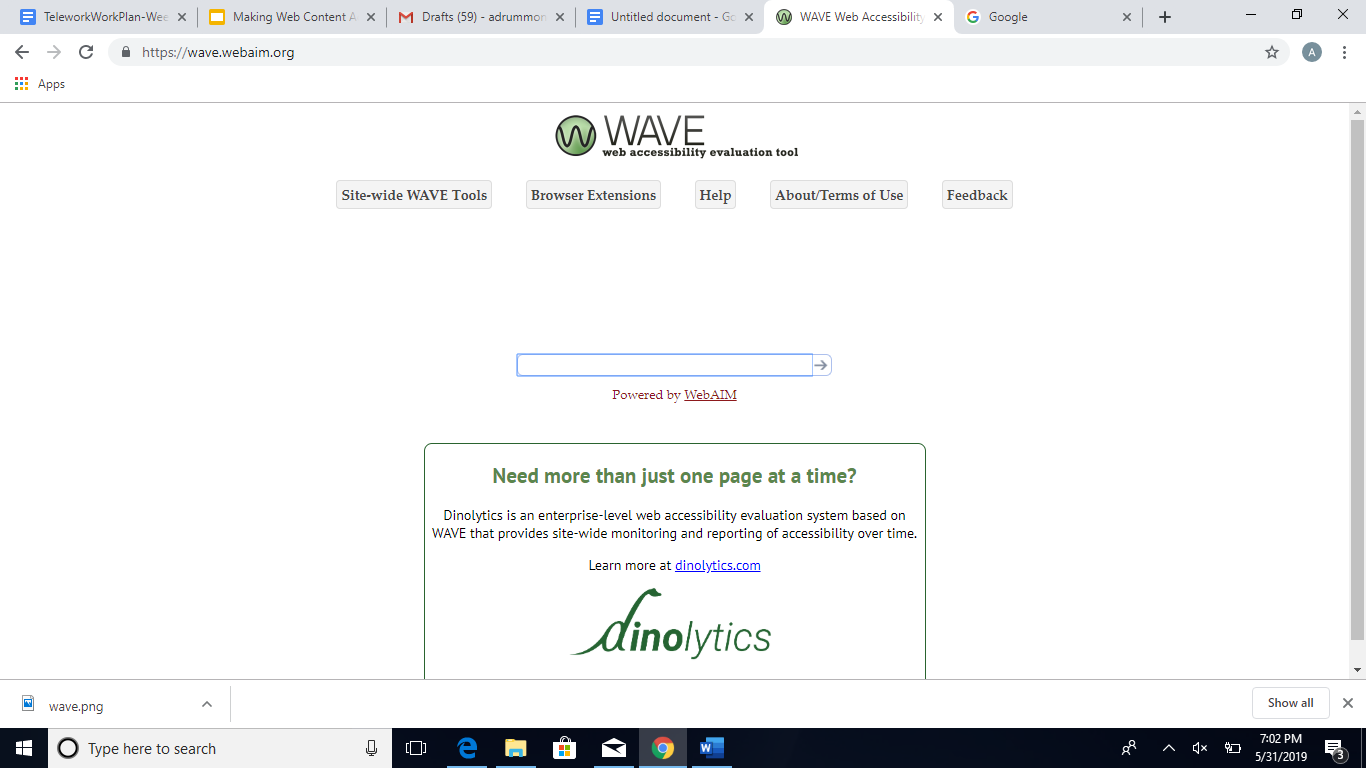
One of my favorite tools I like to use is WAVE Web Accessibility checker; it’s a simple to use
tool that scans websites for accessibility challenges that can then be remediated by the web
content creator or another appropriate person. The checker is very simple to use, simply go to
their site, enter your website address and then let the checker do it’s thing!

screenshot of home page for WAVE
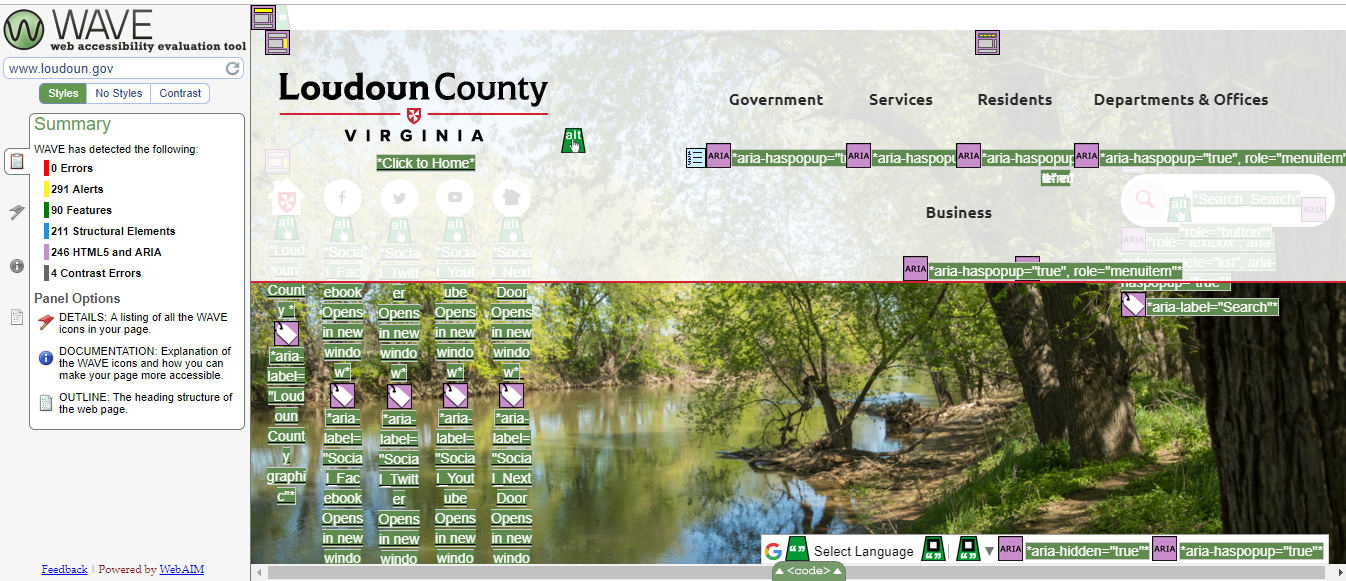
After a few moments, the tool will provide feedback that can be used to remediate your website
and make it accessible for all!

Screen shot of Loudon County homepage
The challenges listed above can quite often be addressed using powerful content authoring
tools or sometimes a simple/pragmatic WYSIWYG editor.
To wrap up, feel free to comment on this post or reach out to us here at TAP and we can tell
you a little about the basics of creating or remediating accessible web content.

Thanks for reading!

Andrew

Beeraider Keyboard

Wow, what a busy week but about ten days ago we were fortunate to have the Beeraider arrive from the Republic of Ireland.  It arrived in a typical airmail style box that wasn’t particularly accessible.  The intent of this product is actually to increase productivity for data entry; however, many AT professionals and occupational therapists have realized this device is the perfect solution for individuals with disabilities that need to type one-handed.

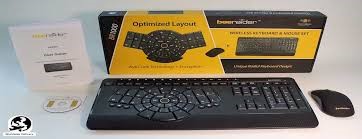
Close up of beeraider keyboard in black

Well after doing a quick un-boxing the other day I was really impressed with the design and build quality of the keyboard.  The package we ordered came with a mouse and a keyboard overlay that can alter the keyboard setup. Overall, the quality of the mouse appears to be pretty good and not too bad as an included item.

Beeraider keyboard and box sitting behind it

I have attempted to keyboard using this new keyboard layout — I found it very tricky to be fair.  It should be noted that like most people I learned to keyboard using touch typing on a QWERTY keyboard at a young age; so anything else is very foreign to me as an experienced keyboarder.  The overlay that can be placed over the main keyboarding area can be used to adjust the keyboard layout — upon attempting to utilize it the keyboard overlay fit pretty flush and stayed in place during my short keyboarding efforts.

Overall, I think this is a great solution for individuals that need to keyboard that don’t have the ability to use both hands. I hope the price comes down a little bit but overall, I am pretty happy with this modern solution to address a critical need for individuals with only functional unilateral upper limb control.

Thanks for reading,

Andrew


Building a Culture of Accessibility in your Organization
Tuesday, June 4th, 11:00 a.m. – 12:30 p.m.

Accessibility challenges pop up in businesses every day. From banks, hospitals, and grocery stores, to restaurants, theaters, and clothing shops, accessibility can be implemented into any business to make it more successful. Join us on Zoom or over the phone on Tuesday, June 4th, 11:00 a.m – 12:30 p.m. to learn why accessibility should be an important aspect of your business, and how to start the journey towards total inclusion.

If you are interested in participating in this boutique, please RSVP to kzimnik@nfb.org for the Zoom meeting link. 

The accessibility boutiques are presented by the National Federation of the Blind at no cost to Maryland citizens with support from the state of Maryland through the Nonvisual Accessibility Initiative (NVAI) grant administered by the Maryland Department of Disabilities.

This boutique will be held via Zoom Teleconference please RSVP to kzimnik@nfb.org to recieve a Zoom meeting link. Note: you just need access to a phone, the number you dial will be included with the link.

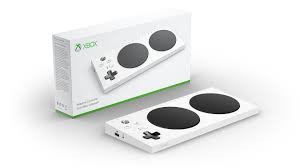
 Ok, some of you probably know that I am a big gamer!  I have been gaming pretty hard since I was about 11 years old. My first gaming system was the Atari 2600 and then followed up by a Commodore 64 Plus.  Personally, I love to play games on my PS4 Pro and some select games on my son’s Xbox One, when the urge occurs.  Anyway, over the past few months I have spent a lot of time thinking about video gaming from an accessibility standpoint.  I have noticed that Xbox through Microsoft’s efforts have really stepped up their game with the release of the Xbox Adaptive Controller and are currently leading the accessibility ‘front’ whereas Nintendo and Sony have went pretty quiet.

Picture of XBox game system

After spending some time researching accessible gaming — I’ve learned that the International Game Developers Association Annual conference is the premier event for those interested in accessible gaming.  The event is held annually in San Francisco and the organizers have worked since 2003 to make gaming accessible for all gamers not just those without disabilities.  So, I have plans to attend the 2020 Accessible Gaming conference if time and circumstances, permit!

GA Gaming Accessible Conference logo

Finally, I want you guys to take a few minutes to review the conference website and also checkout some of their heavy hitters in the gaming industry that are involved in this conference such as ‘Naughty Dog’ think the mega hit ‘The Last of Us’  and ‘Epic Games’ which makes us think ‘Fortnite’ — these two major gaming companies are investing their time, effort, resources and brand into making games more inclusive. 

As always, thanks for reading!

Andrew


Apple Watch

Hi guys, every week I try to post an interesting or current blog post that is assistive technology related.  Well, this week I have been mulling over what to write about as quite a few interesting products are available that have caught my eye.  However, this particular post this week has a very organic origin and I figured I should go with what happened when my son began using an old Apple Watch we had in a drawer at our home. 

Close up of Apple Watch faceSo my son last night started up an older Apple Watch on it’s initial setup and he accidentally triggered VoiceOver.  He came to show me how the watch was acting a little weird and speaking out what was occurring on the screen.  I explained to my kiddo that the feature he triggered was a very cool Watch OS accessibility support called ‘VoiceOver’ that was built to help individuals with blindness and significant visual challenges.  After chatting for a few minutes, my son was really excited to hear about Apple’s work to make their products universally accessible.


So for those that did not know, Apple’s Watch OS 5 is packed with great accessibility features that allow individuals with blindness and low vision to utilize their products with ease.  For those folks interested in seeing VoiceOver in action, simply activate it during initial setup or hold the crown bezel/dial for a few seconds until Siri is awakened then say ‘activate VoiceOver.’  This particular rendition of VoiceOver is very easy to use and relies on similar screen swipes and taps for watch navigation. Once you are doing exploring VoiceOver, feel free to summon Siri again and say ‘deactivate VoiceOver.’

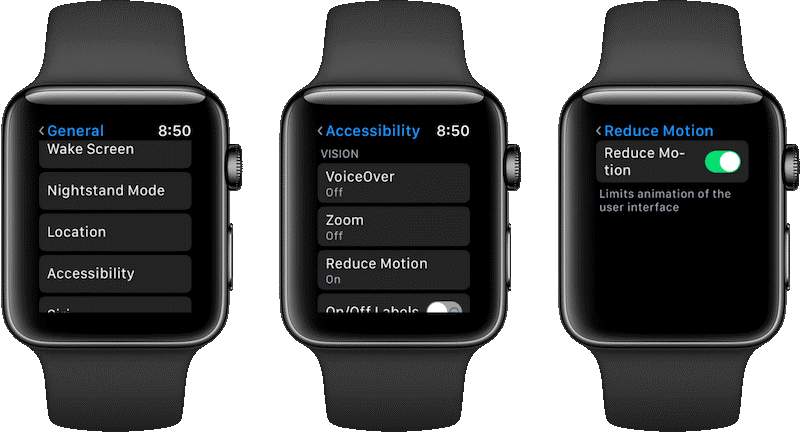
Close up of three Apple watches


For low vision, WatchOS supports Extra large watch face and Zoom both features can be enabled in the settings with ease.  The extra large watch face is significantly easier to see the watch face when activated.  The Zoom feature is another fantastic built-in feature that magnifies the screen up to 15 times. 


For deafness and hard of hearing, it is possible to enable mono audio to support your hearing needs.  Another great feature is the taptic engine which can provide haptic feedback (tactually) and discretely alert the wearer to incoming messages and alerts.


If you are interested in learning more about Apple’s accessibility features and their work in this field click the hyperlink in this sentence.


Thanks for reading,


Andrew

« Newer Posts - Older Posts »

MDTAP | 2301 Argonne Drive, Room T17 Baltimore, Maryland 21218| Voice: 410-554-9230 Toll Free ⁄ Voice 1-800-832-4827|Email: mdtap@mdtap.org