Feed on
Posts
Comments

Maryland Department of Health official logo

The Maryland Department of Health (MDH) supports participants’ choice of Financial Management and Counseling Services (FMCS) providers.
 
The DDA is holding event fairs including a virtual kickoff along with in-person regional events around the State. Registration is below for all events, with an opportunity to include requests for special accommodations. Afternoon and evening sessions are available for all sessions from 12 p.m. to 2 p.m. and 5 p.m. to 7 p.m. Choose the event that is most convenient for you.
 
 
Comfort Inn Conference Center-Bowie                           Holiday Inn Express – Easton
 
4500 Crain Highway                                                            8561 Ocean Gateway, Route 50
 
Bowie, MD 20716                                                                                   Easton, MD 21601
 
Tuesday, August 23rd                                                                   Thursday, August 4th
 
 
——————————————————————————————————————–

Owen Brown Interfaith Center                    Ramada Plaza by Wyndham – Hagerstown

Owen Brown Village Center,                                                                 1718 Underpass Way

7246 Cradlerock Way                                                                       Hagerstown, MD 21740

Columbia, MD 21045                                                                  Wednesday, August 17th

Thursday, August 11th                                                                                         Register

Register


We look forward to seeing you at the event. If you have questions please contact your professional development staff by clicking HERE.

Article Contributed by Patrick Young

The Maryland Assistive Technology Program does not endorse any products or services mentioned in this article.

Why People With Disabilities Should Consider Using Technology in Their Careers

Approximately 1 billion people worldwide have hearing, cognitive, speech, visual, or mobility disabilities. Despite anti-discrimination and equal opportunity laws, people with disabilities face various challenges when seeking employment or progressing in their careers. That’s because most working environments and policies aren’t designed with them in mind. Fortunately, technology can rewrite all these challenges and make working environments conducive for people living with physical or mental disabilities.

Technology is vital for people living with disabilities looking to get into the career world or advance in their respective career fields. Today, several assistive technologies, such as ergonomic devices and mouth keyboards, are affordable and readily available. Here are some ways people with disabilities can use technology in their careers. 

Remote Working or Learning

Traveling is a significant impediment if you’re a person with disabilities because you may require special equipment, facilities, parking, or communication tools. Some of these requirements may result in difficulties securing employment since the accommodations you need may not be readily available. Fortunately, with technology, you can work or study comfortably and create a tailored workspace suitable for all your needs. Remote working and learning effectively enable people to judge you based on your work quality instead of unconscious bias. 

Networking

Networking is vital when looking for a job. However, it may not be easy if you’re a person with disabilities since networking may require traveling or casual interactions, which may be difficult or impossible for you. 

You can take advantage of platforms such as LinkedIn, which are instrumental in connecting people with potential employers. Such platforms enable you to network more easily with little or no exposure of your disability. Ensure your profile is well updated by having a clear profile photo and explaining your expertise. You can also opt for the premium LinkedIn version, which allows you to message people directly and see people visiting your profile. 

Digital Entrepreneurship

New possibilities for digital entrepreneurship continue to arise as technology advances. If you’re into digital enterprises, you have the opportunity to meet and interact with clients online, selling your goods and services across borders. For instance, you can use mobile applications for financial transactions or supplier diversity programs to access markets. 

Job Hunt

The internet can be a resource when looking for a job because multiple remote work options are available nowadays. According to research, approximately half of Americans will work remotely by 2027. When applying for remote jobs, ensure you stand out by clearly stating your expertise on your resume. 

As time goes by, you continue to gain new skills and work experiences, and you must ensure your resume is updated with your latest achievements and skills. If your resume is in PDF format, you can use a PDF editor to upload your document online, make the changes, and download and share it with potential employers. 

Bottom Line

Despite the career world being tough for people with disabilities, technology is making it easy for them to find befitting jobs. With technology, you can network and work online from the comfort of your home. If you’re a person with disabilities, visit NATADS, an assistive technology portal that allows you to borrow, buy, or sell assistive devices that you can use in your job hunt or to advance your career.
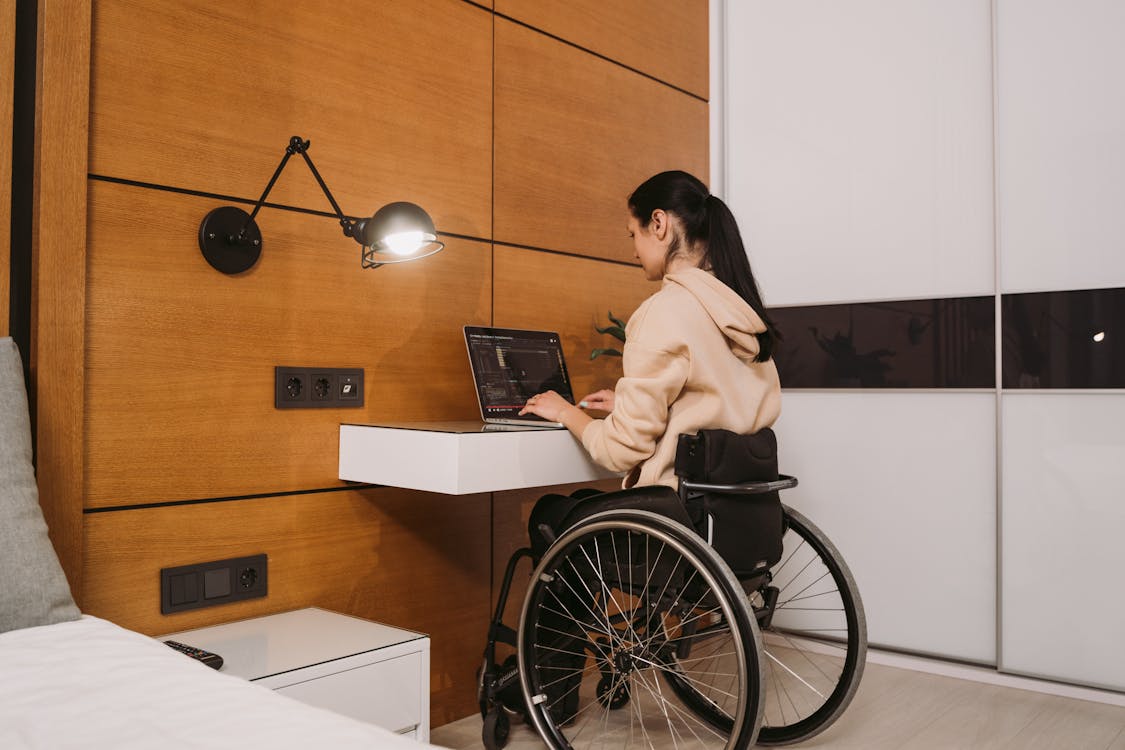
A Woman Sitting in Her Wheelchair while Typing on Laptop

Image via pexels.com


Join the Office of People’s Counsel on this 4-part series called:
 
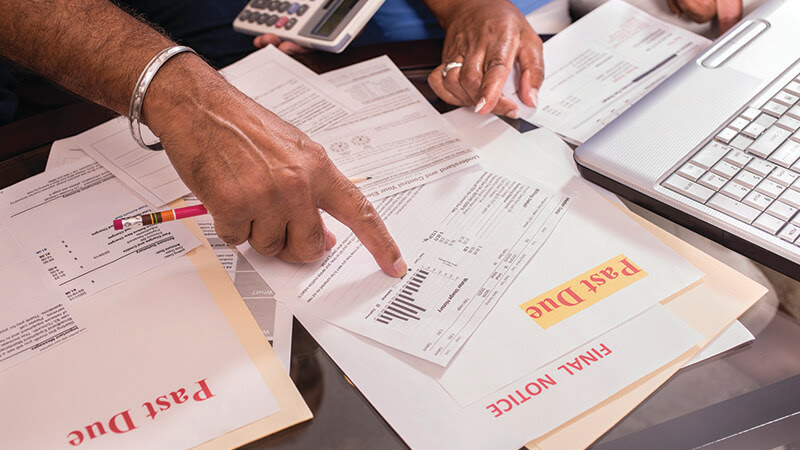
How to Lower and Get Help Paying Your Utility Bills!
 
 
The Maryland Office of People’s Counsel is here to help and advocate for you. They represent Maryland residential customers before the Public Service Commission and federal agencies, and provide Marylanders with assistance dealing with utility issues, including affordable and reliable service.
  1. Aug 10 @ 10AM — Keep your lights on! How to lower and get help paying your gas and electric bill. Free weatherization and programs that provide money towards your utility bill.
  2. Aug 17 @ 10AM — Little known discount programs for your phone and internet services.
  3. Aug 24 @ 10AM — Are you paying too much for your gas and electricity? How to read your BGE bill and find out if you have a retail supplier
  4. Aug 31 @ 10AM — Programs to help pay for your water bill

CLICK HERE to register!


Register for these other FREE Personal Finance Workshops:
 
July 23rd at 11am — Debt Class
July 26th at 6pm — Elder Law and Asset Protection
July 27th at 11am — Savings Class
July 28th at 11am — Investing Class


Live Now!

Two courses on digital accessibility are now live!  These courses, provided through the AT3 Center, are FREE for you to take. The first course focuses on Accessible Webpage Design & Content.  The second is Web Accessibility Testing: Basic Course.  Additional courses are also in the works.  Learn more below about the courses, how to register and earning credentials. 

Accessible Webpage Design & Content Course

Learn the fundamentals of designing accessible web content. This course is designed for those new to accessible digital design but contains information for novices and veterans alike. This course could take from two to four hours to complete, though it can be started and stopped at any time.

Upon completion, learners will have a practical, fundamental understanding of the following:

  • Webpage Structure, including titles, language, heading structure, and keyboard navigation;
  • Images, including text alternatives, complex images, images of text, and decorative images;
  • Color, including contrast and “color alone”;
  • Text, including hyperlinks, readability, plain language, and lists; and
  • Accessible Data Tables.

Web Accessibility Testing: Basic Course

Begin to put your new knowledge into practice by learning about the web accessibility testing and reporting process and performing basic testing in a controlled environment. This self-paced course requires successful completion of Accessible Webpage Design & Content Authoring and should take one to two hours to complete.

Upon completion, learners will have practical knowledge of the web accessibility testing process including:

  • Defining checklists;
  • Establishing an accessibility testing toolbox;
  • Choosing samples;
  • Performing testing;
  • Logging results; and
  • Preparing and reporting your findings.

Enroll in a Course

View this video tutorial on enrolling or follow the instructions below:

  1. To register for a course, please go the AT3 Center Canvas Catalog (at3a11y.catalog.instructure.com)
  2. Click on the course you’d like to enroll in
  3. Click Enroll
  4. Enter your account information
  5. Click Register New Account
  6. Click Enroll
  7. Find the email titled “Welcome to the Catalog” (make sure to check your Junk/Spam folder)
  8. Click the Confirm Registration button
  9. Create a Canvas password and click Submit
  10. Once you’ve done this, click Catalog Login underneath “Public Login
  11. Now, you’re ready to go! Click on Go to Course and begin your learning.

NOTE: You may see some language about Oklahoma State Outreach or Oklahoma State University logos. We’ve partnered with Oklahoma ABLE Tech at Oklahoma State University, and the courses are housed in their Canvas system. We promise you’re in the right place!

Sign up with Credly

When you take these courses and complete the assessments, you’ll earn micro-credentials from Credly that you can share on your LinkedIn profile or resume. To take advantage of these credentials, it’s best to create a Credly account on an email address you will have permanent access to, such as a personal email address. If you don’t already have a Credly account, go to Credly Sign Up (Links to an external site.) and enter your email address and a password.

You’ll receive a micro-credential email after the successful completion of each course. Please note: It may take up to 24 hours for Credly to issue your badge after you’ve completed a course.

Questions or Issues?

If you have any issues with the courses, please email abt.courses@okstate.edu for assistance.

Happy learning!

Black and white image of man in wheelchair using a power drill on a wall and text that says 'ACCORDING TO THE 2021 NSHD 1 IN 5 DISABLED AMERICANS LOST EARNINGS OR INCOME DURING THE COVID-19 PANDEMIC. MAKE YOUR VOICE HEARD. TAKE THE 2022 NATIONAL SURVEY ON HEALTH AND DISABILITY htts://rockcha.lk/22NSHD O.'

PARTICIPANTS NEEDED
2022 National Survey on Health and Disability (NSHD)
Share how access to health care and the COVID-19 pandemic have affected your life.

The University of Kansas Institute for Health & Disability Policy Studies (KU-IHDPS) is looking for adults with disabilities to complete the National Survey on Health and Disability (NSHD). The NSHD is an annual, online survey about your health, quality of life, access to health care services, and the COVID-19 pandemic, as a person with a disability or health condition.


 Adults aged 18-64 with any type of disability, chronic illness/disease, mental or physical health condition are
encouraged to complete the survey
 The survey should take about 20 minutes to complete
 Responses are anonymous

Survey opens May 2, 2022
Take Survey Here: https://rockcha.lk/2022NSHD


Whether or not you complete the survey, you can choose to enter a drawing to win one of ten $100 gift cards. If you prefer to take the survey over the phone or have any questions about participating, please call toll-free 1-855-556-6328 (Voice/TTY) or email healthsurvey@ku.edu.


This is the 4th time this survey has been done. It was first done in 2018 and each year since. We welcome
participation from those who completed it before and those who have never done it before. Thank you!

Decorative graphic announcing the free tests: COVIDtests.gov
Last month, the Biden-Harris Administration launched an initiative to expand the availability of at-home testing options that are more accessible for people who are blind or have low vision. The tests work with a Bluetooth-enabled smartphone app to provide users with audible instructions and test results. Read more about the tests.
 
Due to very limited supplies when the program began, each order included only two test kits. People were asked to order these tests only if they did not have options for using the traditional kits. Starting today, the program is expanding. People will now receive 12 test kits with each order. In addition, anyone who is blind or who has low vision is now encouraged to order the more-accessible tests.

If you placed an order before July 7 and received only two tests, you may place another order now to receive 12 additional tests. (Your name and shipping information are not retained after your order is filled, so there is no way to automatically ship additional tests.)

How to get the tests:
Order online or by calling 1-800-232-0233.
  • Each order now includes 12 rapid-antigen tests that are more accessible for people who are blind or have low vision. These will ship in six separate packages, each with two tests. Each package will have a separate tracking number.
  • Orders will ship free, while supplies last.
Need more assistance? 
The trained staff at the Disability Information and Access Line (DIAL) can provide additional assistance with:
  • Ordering tests.
  • Understanding instructions for test administration and test results.
  • Providing alternative instructions for traditional at-home tests for people who are unable to access, read, or understand the manufacturer’s version.
  • For those who cannot use an at-home test, DIAL operators can:
    • Assist with ordering “swab and send” kits to collect a sample and mail it back for results.
    • Connect callers to local organizations for assistance locating other testing options in their community, including in-home testing programs or transportation or companion support to visit a community-based testing site.
Call 888-677-1199 Monday-Friday from 9 a.m. to 8 p.m. (Eastern) or email DIAL@usaginganddisability.org.
 

« Newer Posts - Older Posts »

MDTAP | 2301 Argonne Drive, Room T17 Baltimore, Maryland 21218| Voice: 410-554-9230 Toll Free ⁄ Voice 1-800-832-4827|Email: mdtap@mdtap.org