Feed on
Posts
Comments

AT News, Fall 2021

Maryland AT Program logo

Visit our website

New AT to Borrow and Try
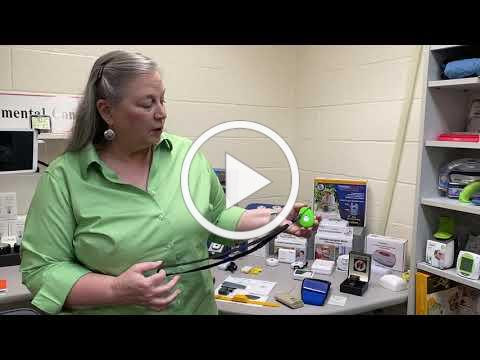
MDTAP short library tourExplore how technology can improve independence at school and work with some of the newest AT in the library!

BeHear Now – Assistive Listening Device
 
Cpen Reader Pen – Scans text, provides feedback, and more
 
ClearSounds Quattro Pro 4.0 – Bluetooth amplification/assistive listening system
 
Humanware Connect 12 – Electronic magnifier with improved distance camera + OCR
 
Zoomax Snow 12 -12″ portable electronic magnifier
 
OrCam Read – Handheld device with a smart camera that seamlessly reads text from any printed surface or digital screen.
 
Have questions about what AT might work best for you?
Complete our service request form to request a consultation, demonstration, or device loan.


AT Solutions for Hearing Loss

September 21, 2021 @ 2pm
 
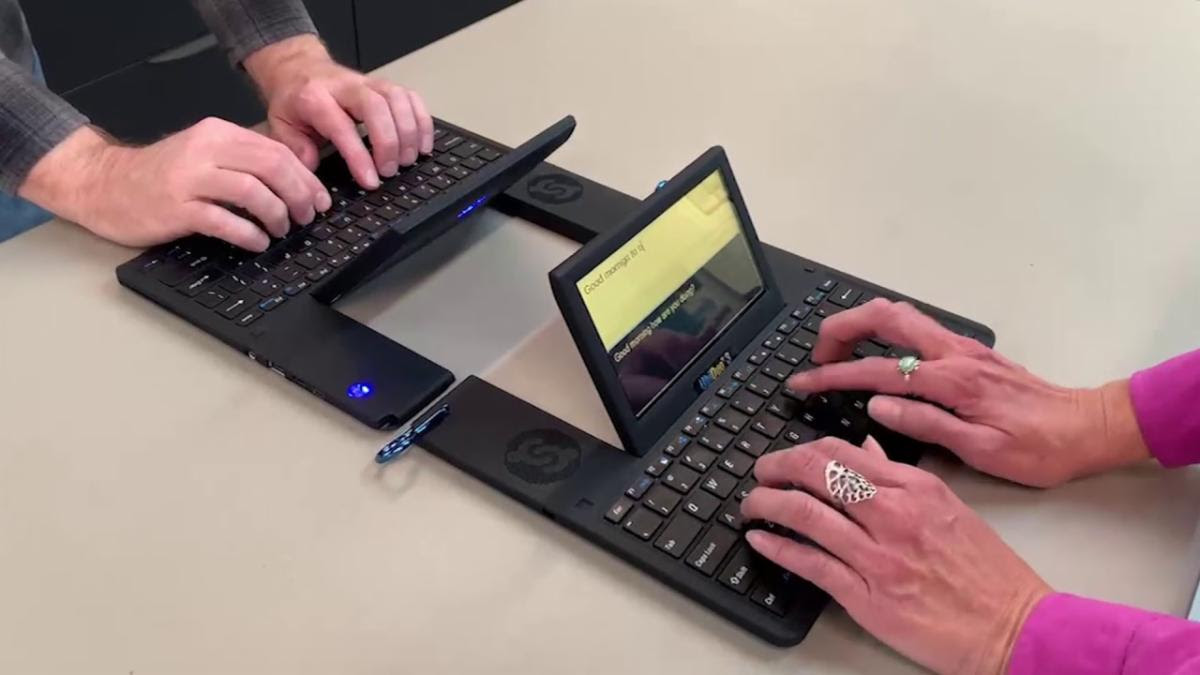
As schools and workplaces re-open, many of us are headed back to business, with or without AT. This webinar willTwo computers connected, allowing two people to type back and forth in real time. explore a variety of Assistive Technologies that are available for D/HoH individuals, including visual alert systems, cell and landline phone systems, hearing amplification devices, and more!
 
We’ll explore ways to integrate AT with your current technologies (like turning on captioning in virtual meetings), and much more! We’ll also cover the who, what, and how of the Maryland AT Program and Maryland Accessible Telecommunications – two vital technology programs for Marylanders with disabilities.
 
All webinars include live captioning. 
 
If you need additional accommodations, please contact Lori Markland, lori.markland@maryland.gov
 
Disclaimer:
Attendees of these trainings should be aware that there are known and potential privacy and confidentiality issues with the Zoom System (Cloud Service, Web application, and/or Application). While every effort has been made to ensure the security of this meeting, factors out of the State’s control introduce risk. Participants should evaluate the risk associated with the application and platform and determine if the risks preclude the use of the service. The State provides no warranty regarding the security of the application, confidentiality of the information discussed, or the privacy of information collected by the application and/or service. Security events impacting the confidentiality, integrity, or availability of a meeting (e.g., ZoomBombing) must be reported to the State Security Operations Center (soc.info@maryland.gov).


ATvisor.ai

An online platform to identify AT products, get recommendations, and find consultants!Screenshot of the ATvisor homepage showing a woman in a wheelchair sitting at a table with a man, using an iPad.
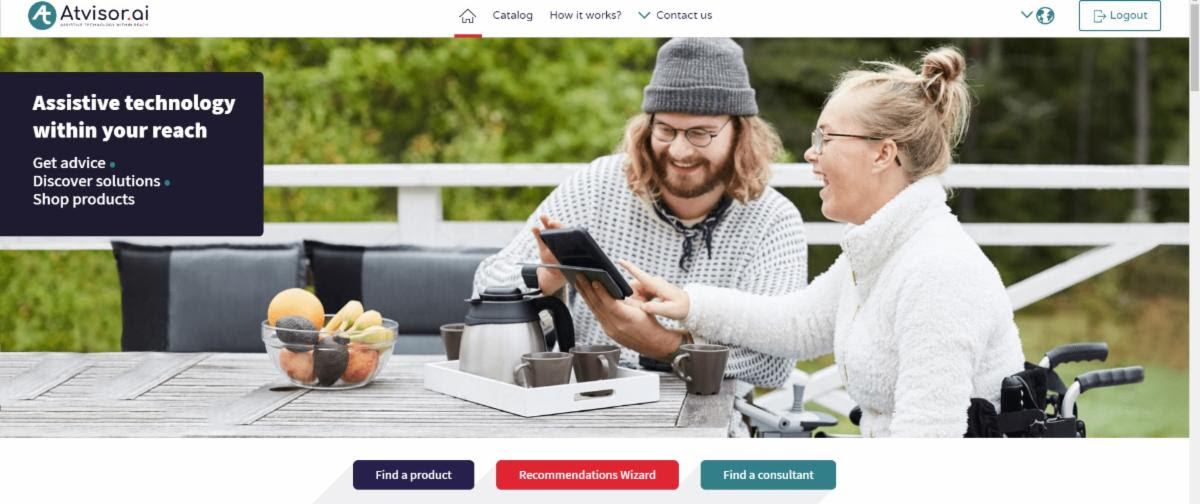
 
Find a variety of assistive technology for your needs, capabilities and preferences in all areas of life: mobility, domestic life, work, education, leisure, communication and more – and connect to hundreds of suppliers and consultants all over the world.
 
Just another way to search, learn, and hone in on the best AT solutions.


SHIFT: Professional Enabling Technology Skills Certification

SHIFT is an education curriculum focused on providing courses and certification in key assistive technology areas, including

  • Integration Specialist CertificationShift logo
  • Navigator Certification
  • Leadership Certification
This program supports the model of Technology First, a mindset that prioritizes technology as a natural support for independence.


Maryland’s Community AT Libraries are Up and Running!

MDTAP has collaborated with 4 CILs to develop Community AT Libraries across the state! These AT libraries offer a limited selection of assistive technologies for demonstration and loan.
 
Visit the AT libraries online:


Show me the Money!

A Financial Capability Webinar SeriesA person counts a wad of cash overtop of a bank ledger book.

 
The Maryland Department of Disabilities, Assistive Technology Program and The Maryland CASH Campaign are teaming up to host a series of webinars this October geared at financial wellness and capability for people with disabilities.
 
Topics include ABLE Accounts, Financing AT, Maximizing Benefits, Home Buying, and lots more.
 
Stay tuned for details!


AT Solutions For Hearing Loss Webinar

from the MD Department of Disabilities Technology Assistance Program

 
September 21, 2021 @ 2pm – CLICK HERE to register
 
As schools and workplaces re-open, many of us are headed back to business, with or without AT. This session will explore a variety of Assistive Technologies that are available for D/HoH individuals, including visual alert systems, cell and landline phone systems, hearing amplification devices, and more! We’ll explore ways to integrate AT with your current technologies (like turning on captioning in virtual meetings), and much more! We’ll also cover the who, what, and how of the Maryland AT Program and Maryland Accessible Telecommunications – two vital technology programs for Marylanders with disabilities.
 
 
This session is geared toward consumers, educators, providers, agencies and anyone wanting to learn more about AT and AT services.
 
All webinars include live captioning. 
 
If you need additional accommodations, please contact Lori Markland, lori.markland@maryland.gov

Registration is open for The 3rd Annual
Digital Accessibility Legal Summit

Thursday-Friday October 7-8, 2021
American University Washington College of Law, Washington, D.C.
 
The event is primarily Online, with in-person participation options still to be determined. Please note that this Summit is in the same week and in the same vicinity as the M-Enabling Summit.
 

Program Highlights

  • Opening Keynote: Ken Nakata
    • Digital Accessibility Problem Solver, ADA and WCAG Compliance Expert, Former DOJ Attorney, Converge Accessibility
  • Discovery: Understanding Impacts of Ableism, and Increasing Diversity in Digital Development Environments
    • Peter Blanck, University Professor at Syracuse University
  • Disability Inclusion in the Legal Profession
    • Panel Chaired by Anil Lewis Executive Director, National Federation of the Blind Jernigan Institute
  • International Perspective: Advanced Digital Accessibility Legal Requirements in Israel
    • Yuval Wagner, Founder & Chairman, Access Israel
  • Government Updates (GSA, DoJ)
  • The Great Accessibility Overlays Battle (Talk followed by Panel Discussion)
    • Jeremy Horelick, Vice President of Business Development, ADA Site Compliance
    • Jason Taylor, Chief Innovation Strategist, UsableNet
    • Richard M. Hunt, Board Certified Civil Trial Lawyer, Hunt Huey PLLC

Summit attendance: $395

Plus…
  • Optional Workshop: Guidelines Development Project ($175)
  • Optional CLE Course: Organizational Risk Assessments and Risk Mitigation Tools ($475)
  • Shared Resources from the speakers, and Bonus Video Updates from the field (Free for all)
  • Government, non-profit, academia and student discounts available

Register Here!

Sponsored By:

2021 M-Enabling Summit, October 4-6, Washington DC. Promoting Accessible Technologies and EnvironmentsA.A.A. traqAequum Global Business Accessibility: Equal FootingMicroassistBillion StrongMarylanf Department of Disabilities

Tuesday, September 7, from 2:00-3:30 p.m. ET via Zoom

Chromebooks are versatile and inexpensive computers that let you perform common computing tasks using Google’s Suite of products. They are very popular in education and used by students in school districts across the country. Recently, Google improved on their functionality by adding the ability to install and run Android apps from the Google Playstore. However, Chromebooks do have some accessibility differences that can make them more difficult to learn for screen reader users.

Join the National Federation of the Blind Center of Excellence in Nonvisual Access on Tuesday, September 7, from 2:00-3:30 p.m. ET via Zoom to learn what the Chromebook can do and how to access its many features with a screen reader. Topics we will cover include:

  • Getting started with a Chromebook and ChromeVox
  • Navigating the Chromebook interface
  • Using Google applications
  • Installing and using Android apps

Take advantage of this free opportunity. Register today! 

Accessibility boutiques and seminars are workshops presented by our access technology experts that provide introductions to accessibility best practices and the latest trends in access tech. Learn more about the Center of Excellence in Nonvisual Access.

A series of three horizontal pictures separated by a white border. All of the pictures represent diverse people with developmental disabilities.


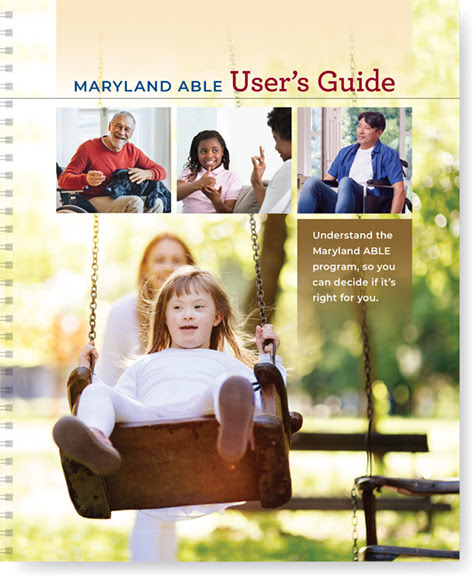
Maryland ABLE User’s Guide from the Maryland Developmental Disabilities Council

 
Image of the Maryland ABLE User's Guide cover
 
August marks the nationally celebrated ABLE to Save Month. ABLE accounts are a way to help people with disabilities save and invest money and pay for qualified disability-related expenses.
 
In celebration, the Council in partnership with Maryland ABLE, are excited to release the accessible version of the Maryland ABLE User’s Guide.
 
This new resource will help you understand, in plain language, what is ABLE, who can open an ABLE account, how to open an ABLE account, how you can use the money in your account, and how to manage your ABLE account.


You can download your FREE copy by clicking the button below:
 

Maryland ABLE User’s Guide

 
You can also request a print copy in English or Spanish. Contact Maryland ABLE by emailing: questions@MarylandABLE.org


Disability intersects every demographic group. There are people with disabilities of all ages, races, genders and national origins. And disabilities can impact a person in a variety of ways—both visible and invisible.

For people with disabilities and their families, it is important to consider individual circumstances and needs to effectively prepare for emergencies and disasters.

Public Service Announcements

There are four steps you can take to be prepared for disasters:

  • Stay Informed
  • Make a Plan
  • Build a Kit
  • Get Involved

Stay informed. Know what types of disasters impact your area. Sign up for emergency alerts. Pay attention to emergency broadcasts. Knowing when and how to evacuate and where to go to shelter can save your life.

Make a plan. Talk with your family or roommates. Discuss how you’ll evacuate or shelter in place. Decide how you’ll communicate if disaster hits when you’re not home.

Build a kit. Think about more than just food, water, and clothing.

People with disabilities should consider the items they use on a daily basis, as well as life-sustaining items such as medications or batteries for assistive devices.

Find more examples and resources for people with disabilities in these Preparedness Disaster Preparedness Public Service Announcements (PSAs):

Prepare and Protect with a COVID Vaccine

The most important thing you and your family can do to prepare for a disaster is to make sure you are vaccinated.  Watch and share this new PSA with important information for people with disabilities:

« Newer Posts - Older Posts »

MDTAP | 2301 Argonne Drive, Room T17 Baltimore, Maryland 21218| Voice: 410-554-9230 Toll Free ⁄ Voice 1-800-832-4827|Email: mdtap@mdtap.org