Feed on
Posts
Comments

Introducing Fleksy

 Contributed by Joel Zimba, MDTAP Special Projects Coordinator

Hot on the heels of a virtual Braille keyboard typing app, which has yet to be released, comes yet another prospective means for blind users to quickly enter text.  Similar to the Swipe keyboard on the Android platform, Fleksy makes educated guesses about what you actually meant to type.  In short it is a more flexible “qwerty” keyboard.

The latest edition of the Tech Doctor Podcast demonstrates this app, which is still in the beta testing phase.  As demonstrated in the podcast, text entry is much faster than the current means of touch typing on the built-in iPhone keyboard. Fleksy shows off some innovative concepts, such as a sort of hybrid functionality, wherein the app functions differently depending on whether VoiceOver is running.  There are several custom gestures, including lifting the phone to the ear to read the current text, and using the “rotor” gesture to access custom functionality.

While the current cycle of beta testing appears to be closed, the Fleksy website (http://www.fleksy.com) gives further, if limited, information.

Pricing and expected release dates are not yet available. A brief YouTube clip demonstrates how the final app may function:

http://www.youtube.com/watch?v=9YP5goKA4dQ


Check out the Tech Doctor Podcast at: http://www.dr-carter.com
Have you been to the MDTAP AT Library recently?

We’re frequently adding to and updating our equipment – here are just a few of the newest items:

The Forte – A writing support tool that includes a small lightweight design with a variety of supporting programs including text to speech, word prediction, keyboard instruction, spelling guidance, math facts and a calendar.
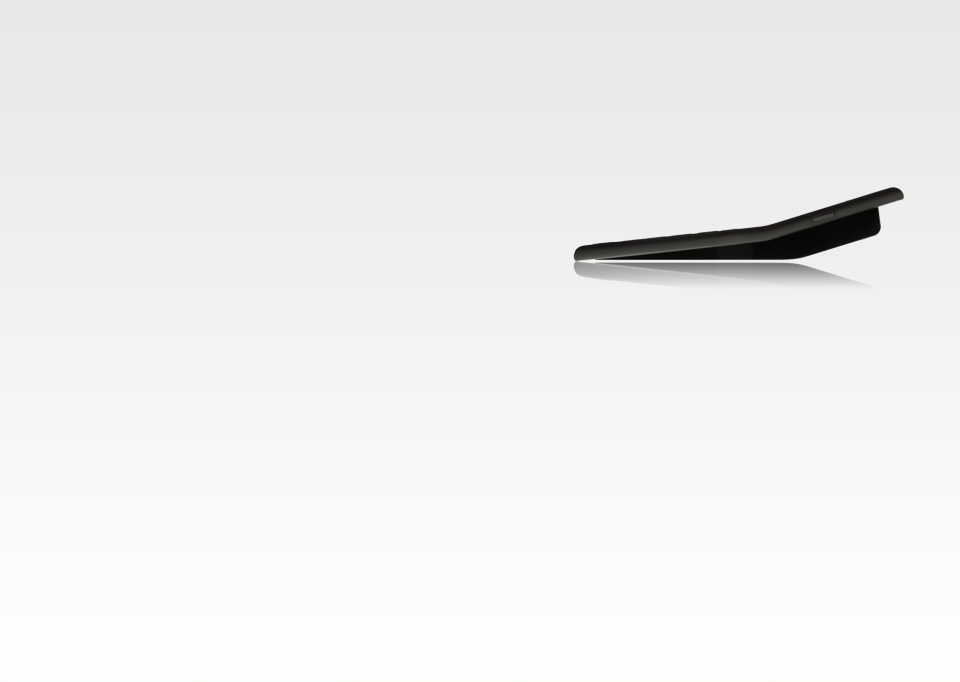
Side view of the Forte

The Forte


ViVo Mouse – Working with an off-the-shelf webcam, the ViVo Mouse is controlled solely with head movement, enabling someone to use voice and head controls to maneuver the mouse pointer anywhere on the screen.

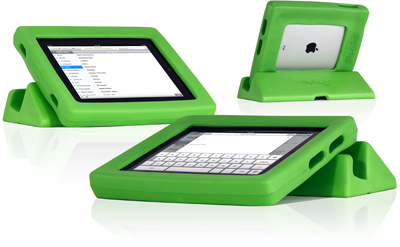
Big Grips Frame– An iPad case that is large and easy to grip, this case  protects the iPad from falls and bumps that could otherwise break it.

Green Big Grips frame

Big Grips


Matias Half Keyboard – The half QWERTY 508 keyboard allows the user to type with one hand without needing to learn or use any additional skills. The keyboard uses rubber dome keyswitches for increased tactile feel and resistance that reduces long-term fatigue.

If you’d like to see or try any of these new devices, contact us at 1-800-832-4827 or mdtap@mdtap.org to arrange your demonstration or loan.

AT in the news for the week of 6/25 – 6/29

Why Did Apple Pull An App Designed To Help Autistic Children Speak? (Red Orbit )

Google Glass Explorer Edition: Prototype Glasses Priced At Whopping $1,500

Social media helping autistic children navigate the world€

$199? BLiNK Eye Tracking Technology for Computer Control from CMS, LLC |

Best Android apps for the blind and visually impaired

ADA May Force Netflix To Provide Closed Captioning On Content

New TV Video Description Rules Take Effect in July 1. Learn more:

 Falls detector helps me keep my independence – Worcester News

MDTAP’s on this list! 40 Best Blogs for Special Needs Parents – Online College Courses

RESNA, the Rehabilitation Engineering & Assistive Technology Society of North America, is holding its annual…

Discovery News: Why Didn’t I Think of That?

BMX Gold Medalist Stephen Murray Regains Critical Freedom With Eye Tracking System

 ‘Brain-hacking’ technology sought

Smartpen and paper aiding disabled students

Judge: Disabilities Act Applies Online Too – Disability Scoop

Tongue Controlled Mp3 Player Now Available (Bit Rebels)

  • Curved Stairlift – FREE
  • Manual Ti-lite wheelchair – FREE
  • Optelec TravelerBest Offer

These are just a few of the newest items added to the Equipment Link this past month. The Equipment Link, run through the Maryland Technology Assistance Program, is an online exchange website where users can buy, sell and search for assistive technology in Maryland and surrounding states. Be sure to check back often to see what items are available in your area.


Sensory Characteristics

Avoid relying on sensory characteristics, such as shape, size, or visual location. For example, “Click the green button” will not be useful to screen reader users or some users who are color blind. Instead, use “Click on the green button labeled ‘submit'” or simply “Click the ‘submit’ button”. Similarly, “Use the form on the right” could be changed to something more descriptive such as, “Use the search form on the right.” Other examples include prompts such as “Click the larger button,” “Select a state on the east coast on the map”, “Instructions are included in the sidebar”, etc. Purely auditory cues (“Click ‘Continue’ after you hear the beep”) should also be avoided.

Usually, the Tech Tuesday segment discusses high-tech products.

Assistive Technology can also be low-tech. Today’s Tech-Tip Tuesday features a low-tech invention which solves a seemingly age-old problem with another low-tech and fairly common piece of assistive technology.

The CLU Clip was developed by students at the California Lutheran University. As the name implies, it is a clip designed to hold a cane upright against a table or desk.  Most canes are smooth and top heavy.

They slide and fall quite easily.  Often the most practical thing to do with a long white cane is to lay it down somewhere out of the way.  With the CLU Clip, however, a cane can be fastened upright against a horizontal surface.

The CLU Clip design team is a semi-finalist in a student competition sponsored by the Rehabilitation Engineering & Assistive Technology Society of North America. Five finalists will be announced at the RESNA conference going on this month.

Check out the CLU Clip homepage at: http://www.cluclip.net/

There is also a brief video of the CLU Clip in action at:  http://www.youtube.com/watch?v=fytNFvZBesY&feature=youtu.be

« Newer Posts - Older Posts »

MDTAP | 2301 Argonne Drive, Room T17 Baltimore, Maryland 21218| Voice: 410-554-9230 Toll Free ⁄ Voice 1-800-832-4827|Email: mdtap@mdtap.org