Automatically Generating Tactile Visualizations of Coordinate Spaces using 3D Printers
Guest blog post by Chris Kidd, Craig Brown (http://www.student.seas.gwu.edu/~cbrown16/), and Amy Hurst (http://amyhurst.com/)
Visual representations of information have become common in the media, business, and our home lives. For example, news publishers visually illustrate trends in public sentiment on policy issues over time; meetings and talks display budget or progress information graphically in slideshows; and we frequently interact with plots of weather, health data, and our energy usage at home. While these visualizations can provide valuable insight into underlying trends, this subtle information is frequently inaccessible to those with limited or no vision. Captions, braille embossers, swell paper, audio representations, and haptic interfaces are some of the assistive technologies that have been used to improve the accessibility of this data. Unfortunately, these solutions can be expensive, require user overhead, and may be difficult to deploy on a large scale.
UMBC Assistant Professor Amy Hurst is conducting research to explore how rapid prototyping tools can be leveraged to create tactile graphics that are easy to create, affordable, and accurate. A new generation of rapid prototyping tools are available that make small-scale home manufacturing possible. One example is the MakerBot Replicator 3D printer (http://www.makerbot.com), a 3D printer is sold as a kit for under $2000. The MakerBot can create durable hard plastic pieces by layering rows of ABS plastic on top of one another. The MakerBot can create a wide variety of tangible objects such as simple items like bottle openers or shower rings to more complex objects such as small-scale building models and robotic hands. Most of these prints are created in a matter of minutes to hours, and the material is very affordable (most prints cost less than $1 in materials).
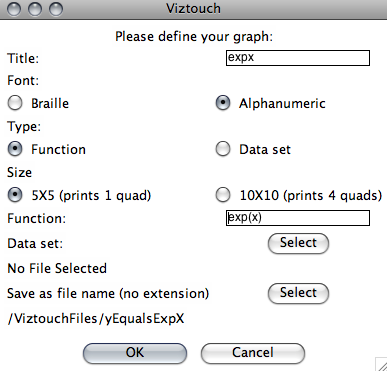
Last summer, George Washington University Computer Science senior Craig Brown, working with Professor Hurst, developed VizTouch, software that makes it easy to generate tactile visualizations of equations and spreadsheet data. VizTouch generates plastic graphs featuring braille titles and axis coordinates, grids, and elevated data so that a user can feel the visual information with their hands. Using this software, users can choose to represent text on their visualization in Braille or Alphanumeric characters, and give their visualization a title. In less than a minute, VizTouch generates a file ready to be manufactured on a 3D printer. VizTouch was designed to directly translate visual information into a tangible form and preserve the original layout and affordances of graphs. This was done so visualizations would be familiar to individuals with limited vision, or those who had lost their sight. However, our future work will explore alternate representations of this data.
The development of VizTouch was done through a participatory design process, where we frequently tested our prototypes with individuals with vision impairments. We have also begun user testing our prototype with several blind and low vision individuals and found that they are able to use their fingertips to follow to the data on these visualizations and determine the shape of a graph in relation to its location on the grid. The next steps for the project are to further explore the design and effectiveness of these graphs. We are working with the Maryland School for the Blind to explore how these visualizations can be used for educational purposes.
Initial findings from this research were presented at the Tangible, Embedded and Embodied Interaction (TEI) conference in Kingston, Ontario. This project is part of a greater effort Dr. Hurst is working on where she and her students are exploring how they can empower individuals to “Do-It-Yourself” and create, design, and build their own assistive technologies.
 Caption: Example of the VizTouch interface which allows a user to create a tactile visualization by either typing an equation or uploading a spreadsheet data file.
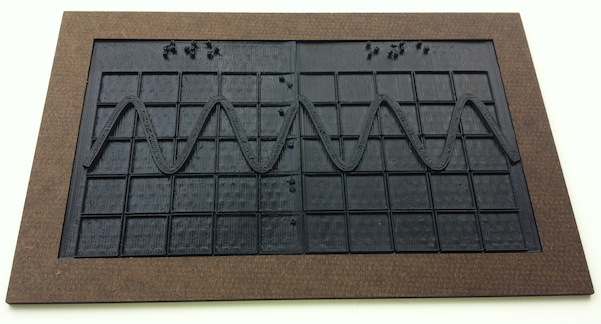
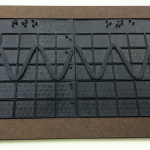 Caption: 3D printed visualization of equation Y = cos(X*3) +3. Visualization has two printed pieces 3”x4” that are held together with a laser-cut hardboard frame.
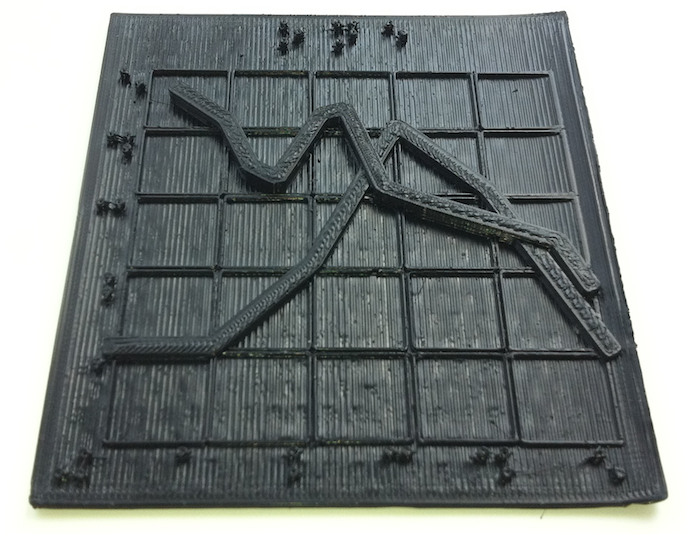
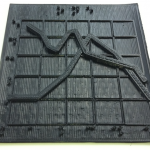 Caption: 3D printed visualization of a graph of multiple intersecting lines. The VizTouch software automatically generated the 3D model of this prototype from a spreadsheet data file. The visualization’s title and axis labels are printed in Braille.